How to Choose Dental Lab Software: 12 Questions to Ask
Most dental laboratories do not choose software, they inherit it: a spreadsheet that grew, a generic tool someone liked, a program from a previous owner. When the lab finally decides to change, the vendor demos all look alike. This checklist is meant to be used during those demos. Twelve questions, each with what a good answer looks like, so you can compare platforms on how they handle your daily work and not on the length of their feature list.
Spreadsheet, generic tool or dedicated platform?
Before comparing vendors, be clear about which category you are shopping in. These are the usual three options for a dental lab and how they behave on the things that matter.
| Spreadsheet + email | Generic project tool or CRM | Dedicated dental lab platform | |
|---|---|---|---|
| Order intake | Phone, email, WhatsApp, retyped by hand | One generic form for everything | Clinics order online with a form per product |
| Prices per clinic | Several sheets, easy to mix up | Custom fields, built and maintained by you | Rates applied automatically per clinic |
| Case status | Updated by phone call | Board with generic columns | Statuses and manufacturing phases per product |
| Files and messages | Scattered across inboxes | Attachments, not tied to the clinical case | Files, notes and messages on the case itself |
| Invoicing | Retyped into an accounting program | Not included | Generated from delivered cases |
| Material traceability | Paper or separate sheet | Not included | Material and lot recorded per case |
If your lab is small and orders arrive by a single route, a spreadsheet can still work. The moment you have several clinics with different prices, files that travel with each case and a monthly invoice run, the cost of the workarounds starts to exceed the cost of a platform.
The 12 questions
Orders and clinics
- Can a clinic place an order without calling you? Ask to do it live, as a clinic, in the demo. Count how many fields you have to type that the system should already know (clinic, doctor, delivery address).
- Can every product have its own order form? A crown, an aligner case and a splint need different questions. One generic form means clarification calls later.
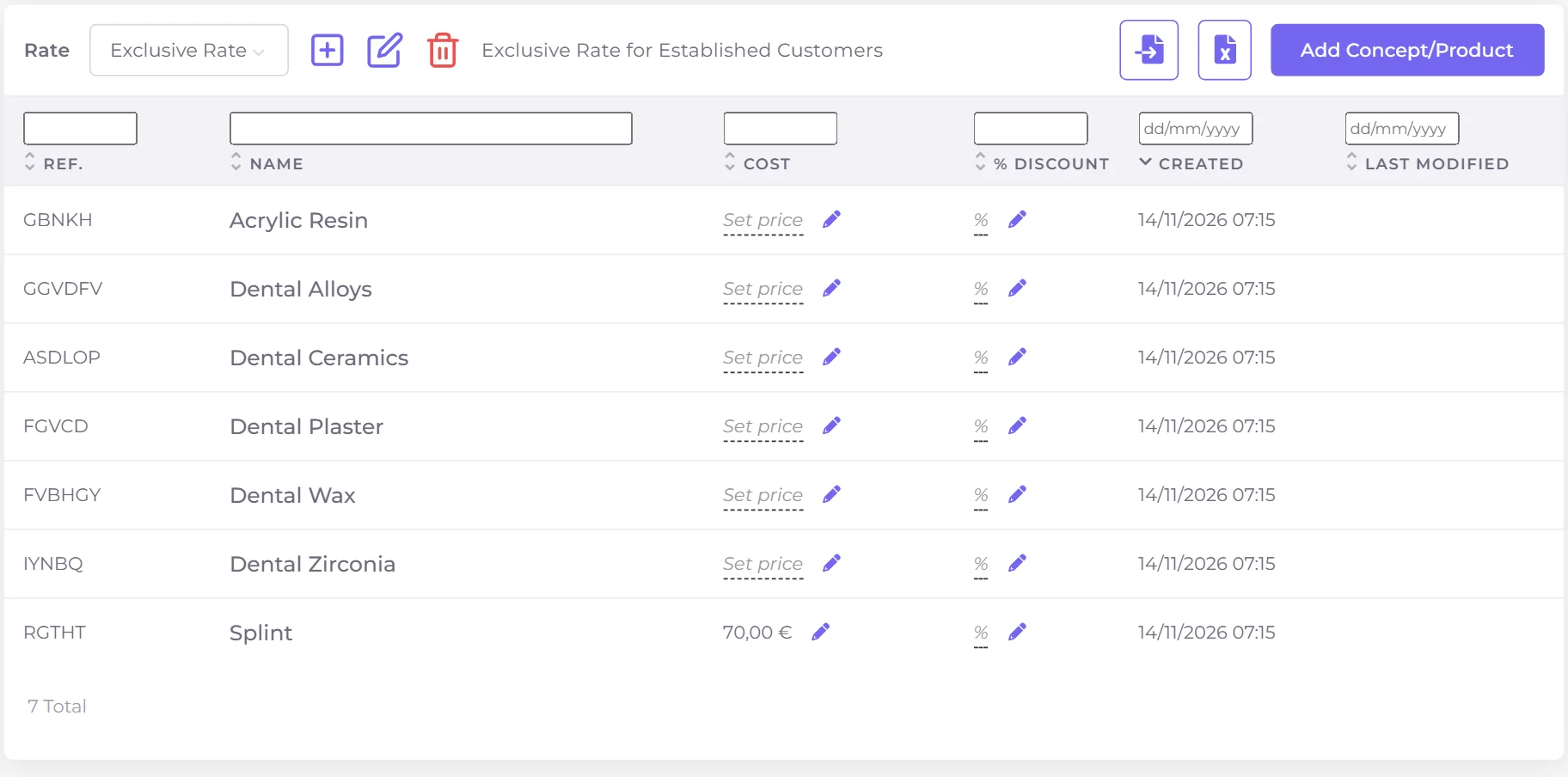
- Can different clinics see different prices? Open the same product as two clinics with different rates and compare the total.
Case handling
- Are files, messages and status on the same screen? If you have to open three places to understand one case, the platform will not remove the phone calls.
- Can you define your own manufacturing phases? And assign each phase to a technician, with dates, for each product.
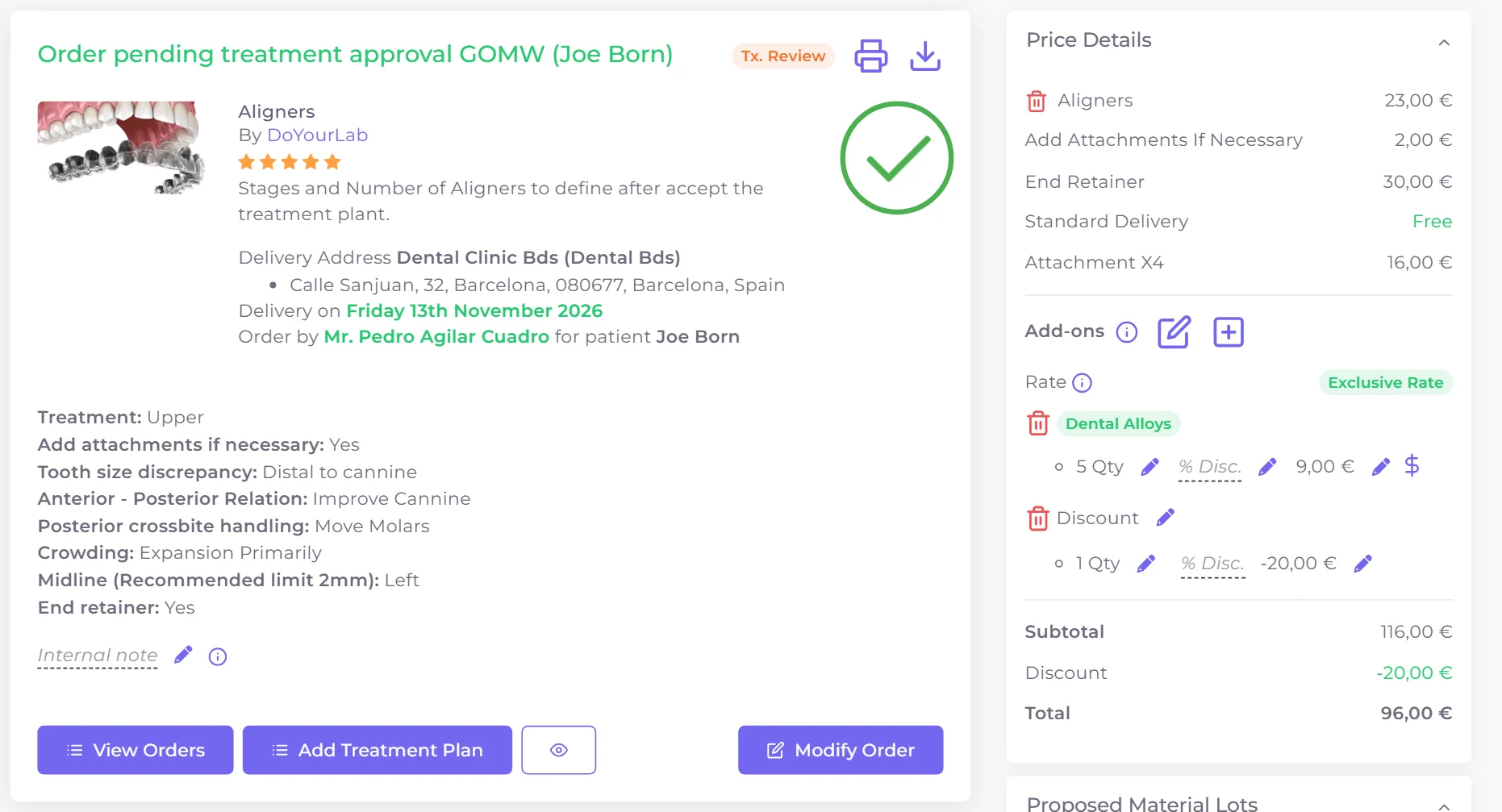
- If you make aligners: is there a treatment-plan workflow? Look for plan statuses (pending, approved), an approval step for the clinic and a count of aligners planned and issued.
Money
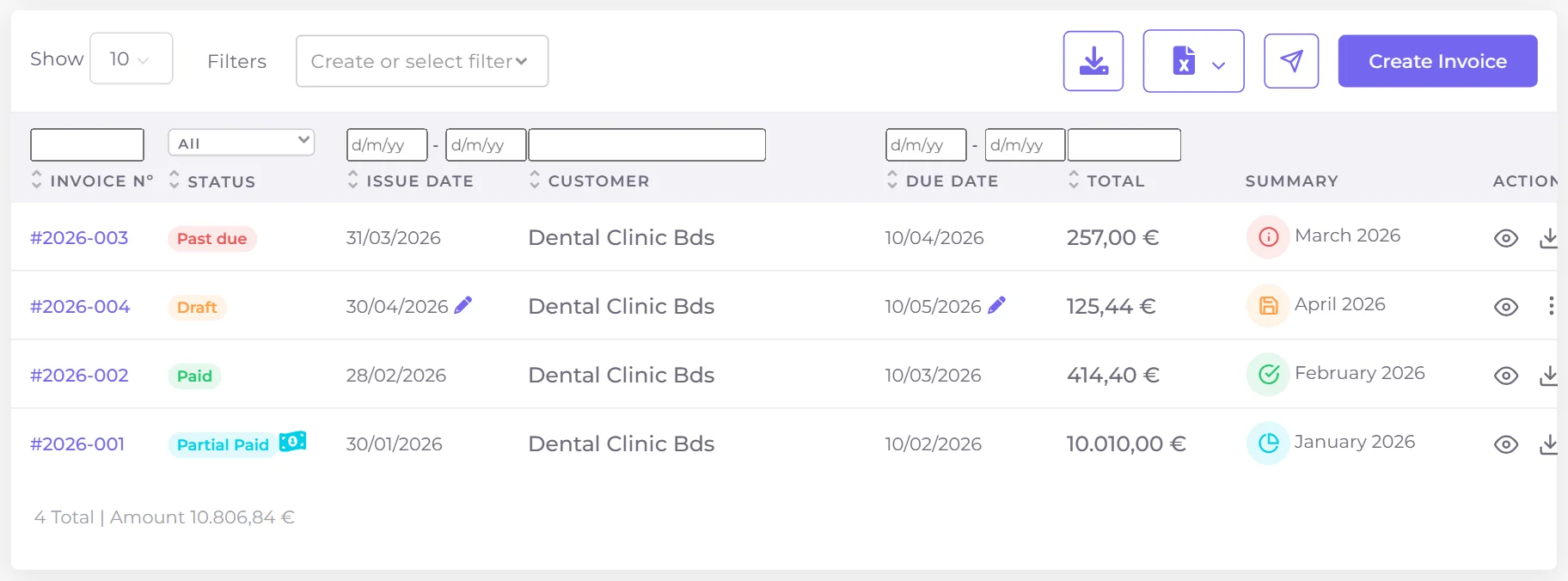
- Does the invoice come from delivered cases? Ask to generate one from two real orders. You should not retype amounts.
- Can you see at a glance what is unpaid? You want a list with draft, paid, partially paid and past-due invoices, not a report you have to build.
Materials and traceability
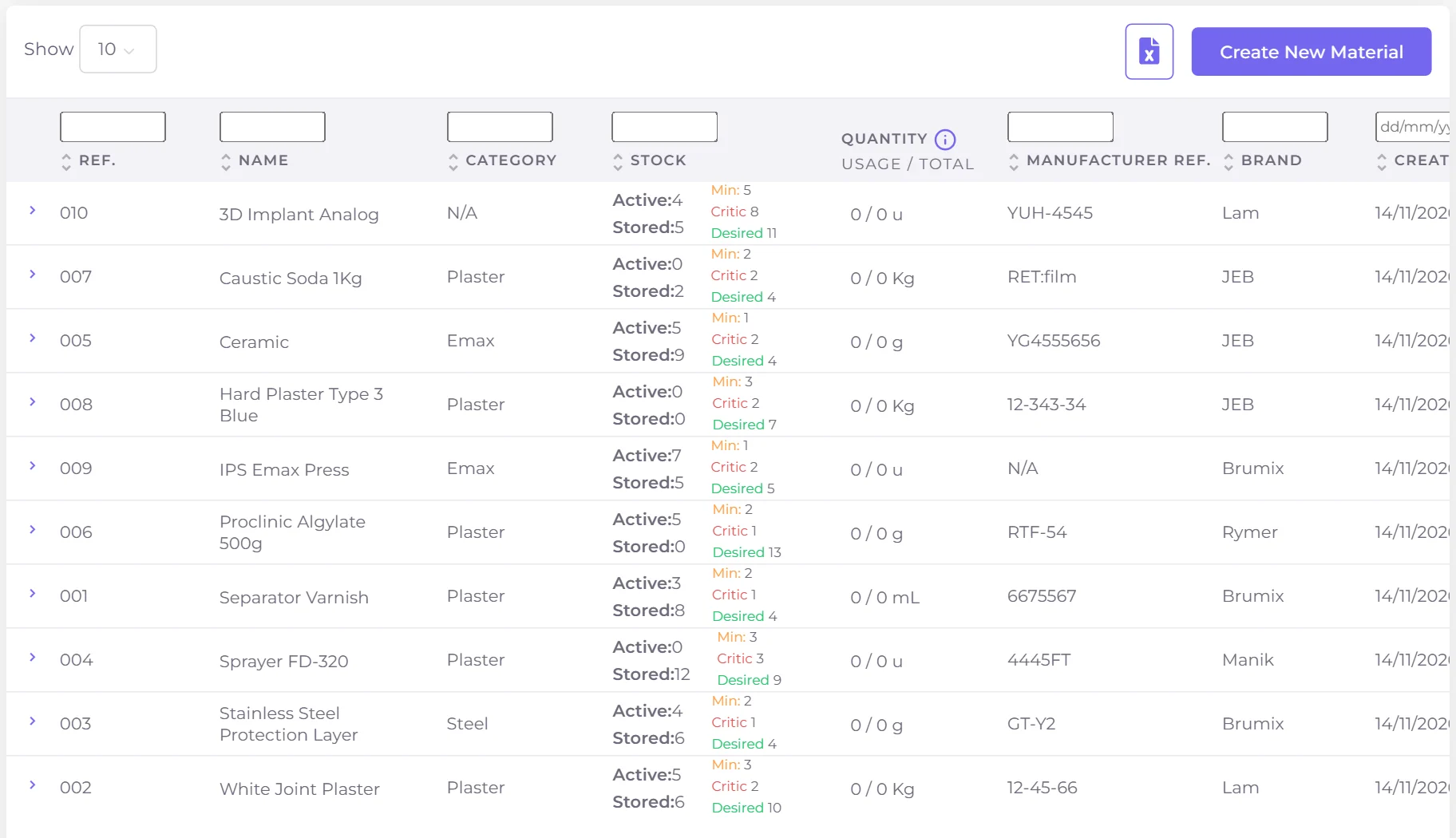
- Can you record the material and lot used on each case? If you need to produce a conformity declaration, this is the data it comes from. Ask also about stock alerts for consumables.
The platform itself
- Users, permissions and languages. Can technicians see only their phases? Can clinics use the platform in their own language?
- Can you get your data out? Ask for an export of orders and invoices to a spreadsheet before you sign. If the vendor hesitates, that is your answer.
- What does it cost in writing, and can you try it first? Ask for the monthly price per plan, what the limits are (cases per month, storage) and whether the trial needs a card. We explain how to read these numbers in our pricing guide.
A score sheet you can reuse
Give each question a score from 0 to 2 for every vendor you test: 0 if it cannot do it or needs a workaround, 1 if it can but clumsily, 2 if it did it in the demo without help. Add the points. Write the date next to the score, because demos are easy to forget after the third one.
Weight the questions that hurt most in your lab. A lab that mostly makes aligners should double question 6. A lab with fifty small clinics should double questions 1 and 3.
How DoYourLab answers these questions
You can check the answers yourself in the public demo, where you can sign in as a laboratory or as a clinic. In short: clinics order online with a form per product; rates per clinic are available from the Standard plan; invoices are generated from cases; materials and lots are recorded per case; and orders and invoices can be exported to Excel. The plans, their limits and what each one includes are on the plans page and summarised in this article. Every plan starts with one month free and no card.
Frequently asked questions
Do my clinics have to pay to use the platform?
It depends on the vendor, so ask. In DoYourLab, dental clinics access your platform free of charge: they browse your catalog, place orders and follow their cases at no cost.
How long does it take to move from spreadsheets to a platform?
Most of the time goes into setting up the catalog and the price lists. Start with new cases only, move a few friendly clinics first and let old cases close in the old system. Our step-by-step plan covers the sequence.
Which plan includes scanner and printer integrations?
In DoYourLab, integrations with oral scanners, 3D printers and 3D design services are part of the Premium plan. See the plans and what they include.
Try DoYourLab free for one month
Create your platform in minutes: catalog, case tracking, rates, invoicing and treatment plans. No credit card required. See plans