How to Build a Dental Lab Price List by Clinic
A dental laboratory rarely charges every clinic the same. Some bring volume, some pay late, some only order complex cases. If those differences live in a notebook or a pile of spreadsheets, someone will eventually invoice the wrong price. This guide shows a simple way to structure a price list by clinic so that prices are decided once and applied automatically.
Why one price list is not enough
A single list is easy to publish, but it forces you to choose between being too expensive for your best clinics and too cheap for the occasional ones. Most labs end up with exceptions, and exceptions kept in people's heads are the main source of invoice disputes.
Three ways to structure it
- One base list plus tiers. A standard price list and two or three rates (for example Standard, Preferred and Exclusive) with a fixed discount or its own prices. Each clinic is assigned to a rate.
- Volume or loyalty discounts. Discounts that grow with the number of orders a clinic places. The clinic can see why its price drops, and you reward the behaviour you want.
- Per-clinic exceptions on top of a tier. A few items priced individually for a clinic with a special agreement. Keep these as few as you can.
Most labs do best with the first option plus, if they want, the second. The third should be the exception.
Steps to build it
1. List every product and service you sell
Include materials and add-ons that you charge for separately: attachments, retainers, express service, shipping. If it appears on invoices, it belongs on the list.
2. Set the base price of each item
Start from your cost per case, then add margin. Round to prices you can say out loud. A list of odd decimals is a list that gets edited by hand.
3. Define the tiers
Decide how many tiers you need and what each one means in words (for example, "clinics with more than X orders a month"). Write the rule down so a new clinic gets the right tier without negotiation.
4. Assign each clinic to a tier
Record the tier on the clinic itself, not in a separate document, so the order screen picks it up automatically.
5. Treat urgent work and add-ons explicitly
If you offer express delivery, give it its own price instead of a vague surcharge. The same for extras like attachments.
6. Review once a year
Prices change with materials and costs. Reviewing the list annually, with a date, makes an increase a routine event instead of a conversation.
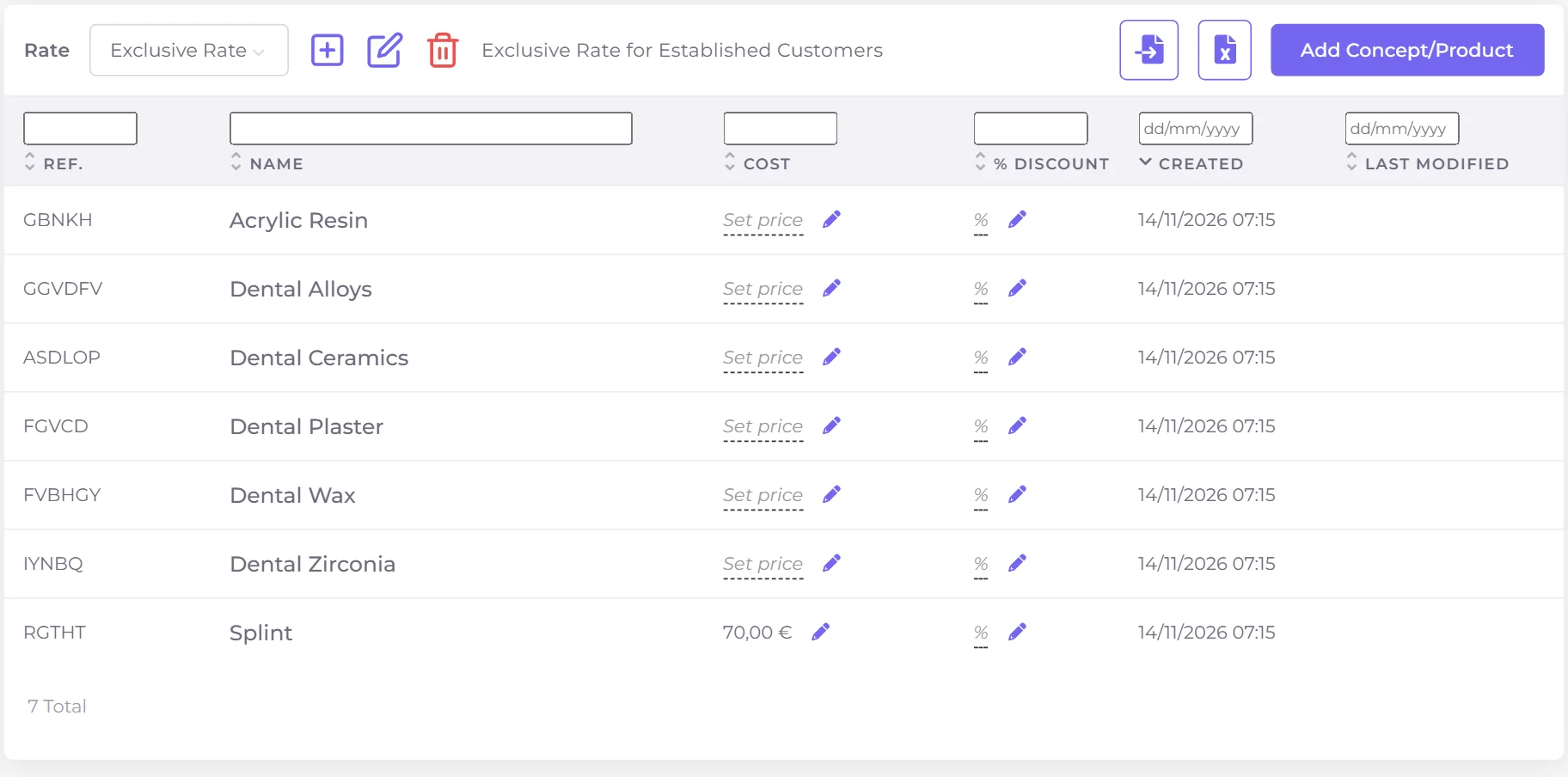
What it looks like on an order
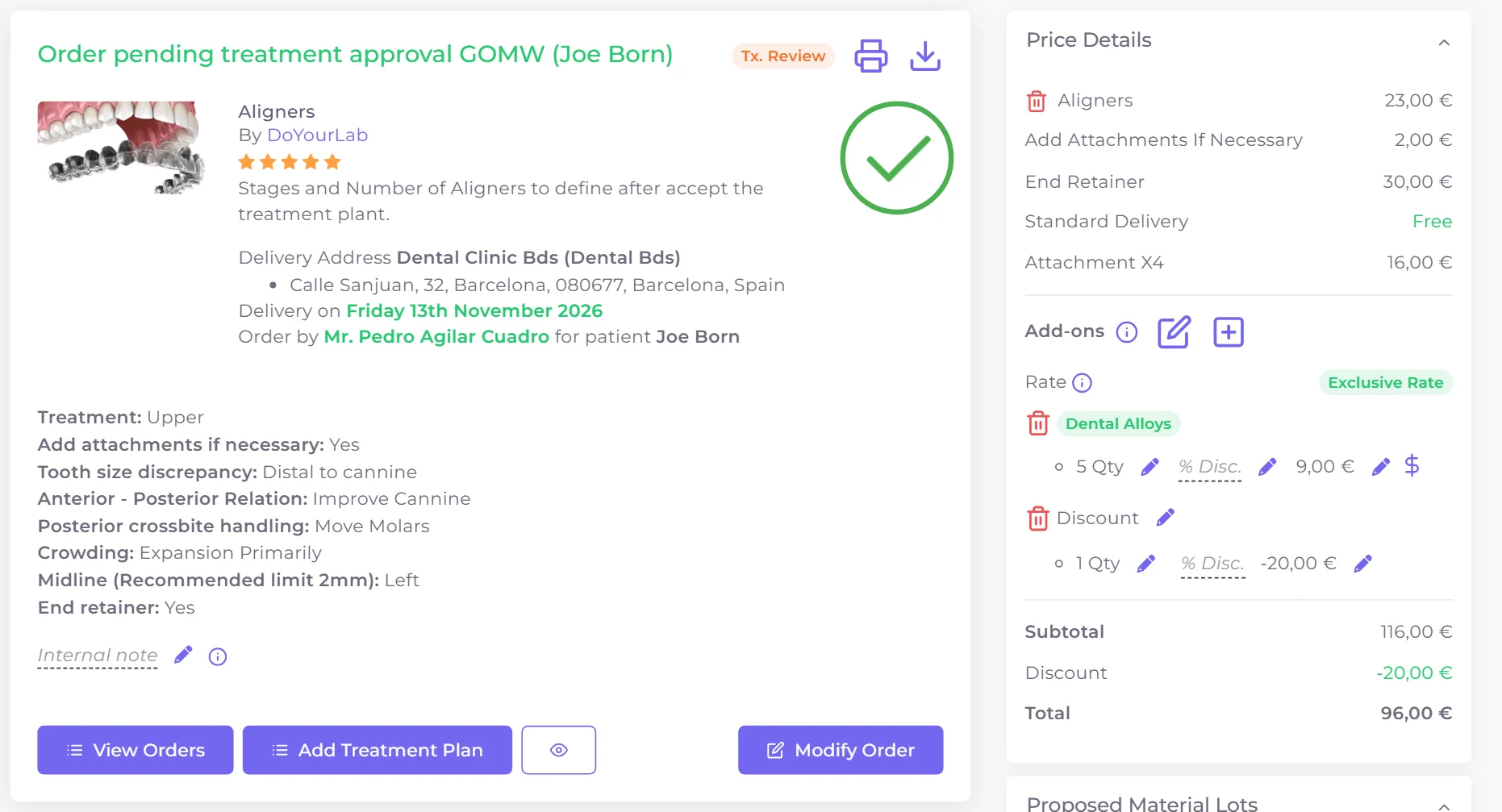
When the clinic is assigned to a rate, the order shows the price from that rate automatically. In the demo, the rate appears as a label next to the add-ons on the order, with each line showing its price and discount.
Mistakes to avoid
- Discounts without a reason. A discount you cannot explain will be copied by the next clinic that finds out.
- Too many tiers. Two or three are manageable, seven are not.
- Prices that change by mood. If the person invoicing can change a price without a rule, it will happen.
- Keeping the price list apart from the orders. If the order screen does not pick up the clinic's rate, someone retypes it.
Where DoYourLab fits
DoYourLab lets you create rates and price lists for your different clinics, assign them to each customer, and set products with prices that depend on the rate. You can import and export the lists to Excel and configure loyalty discounts based on the number of orders. Rates and loyalty levels are included from the Standard plan; see the plans and prices. When the price list is in place, the monthly invoice builds from the delivered cases. We explain that part in how to manage dental lab invoices with management software.
Frequently asked questions
How many price tiers should a dental lab have?
Two or three are enough for most labs. More tiers make the list harder to explain and to audit.
How should I price urgent work?
Give it an explicit price, not a vague surcharge. DoYourLab's request calendar supports standard and urgent delivery with customizable prices.
Can a clinic move to a better tier automatically?
You can configure loyalty discounts based on the number of orders placed, so a clinic's price improves as its volume grows.
How often should I update prices?
Once a year at least, on a fixed date, and whenever material costs change significantly. Announce it in advance.
Try DoYourLab free for one month
Create your platform in minutes: catalog, case tracking, rates, invoicing and treatment plans. No credit card required. See plans