Dental Lab Work Order: What the Prescription Form Needs
A dental lab work order, also called a prescription or lab slip, is the document that tells the laboratory exactly what to make. When it is incomplete, the lab calls the clinic, the case waits, and sometimes the restoration is made wrong. This guide lists the fields a good work order needs, the mistakes behind most remakes, and how a digital form prevents them.
The fields every work order should have
1. Who is asking
- Clinic name and the prescribing doctor.
- A phone or email for questions about this case.
- Delivery address if it differs from the clinic.
2. Who it is for
- Patient name or an internal reference. Send the lab only the personal data it needs to do the work; many clinics use a case number or initials plus a clinic reference.
3. What to make
- Type of restoration or appliance (crown, bridge, inlay, denture, splint, aligner case...).
- Material and, when relevant, the brand or system.
- Shade, with the shade guide used, and notes for translucency or characterization.
- Tooth numbers. State the notation. The FDI two-digit system (11 to 48) is the most common internationally, and mixing it with other systems causes mistakes.
4. How it must fit
- Preparation type and margin.
- Occlusion, antagonist and bite registration.
- Contact points and any special requirements, for example attachments or teeth that must not move in an aligner case.
5. When
- Requested date and delivery date, including any try-in dates.
- Urgency, if the lab offers an express service.
6. What you are sending
- List of files: scans (STL or equivalent), photos, panoramic image, bite scan.
- Physical items sent with the case, if any.
7. Notes and compliance
- Free notes, clearly separated from structured fields.
- Whatever the clinic or the country needs for the lab's conformity declaration.
A checklist you can copy
- ☐ Clinic and doctor
- ☐ Patient reference
- ☐ Restoration type
- ☐ Material and shade
- ☐ Tooth numbers and notation
- ☐ Margin and preparation notes
- ☐ Occlusion and antagonist
- ☐ Delivery date and urgency
- ☐ Files attached and listed
- ☐ Special instructions
- ☐ Contact for questions
Five mistakes behind most remakes
- Missing shade or the wrong shade guide. Always state which guide was used.
- Ambiguous tooth numbers. "Upper right first molar" is clear, "16" is clear only if both sides use FDI.
- Files without a reference. A scan called "scan1.stl" is waiting for a phone call.
- Instructions in three places. A note on paper, a message in a chat and an email. The technician sees only one.
- No delivery date. A case without a date becomes a case that is late.
Paper form versus digital form
A paper slip cannot stop you from forgetting a field. A digital form can: required fields must be filled before the order is sent, options appear as a list, and the tooth chart records the selection. The order the lab receives is already structured, so the technician starts working instead of asking.
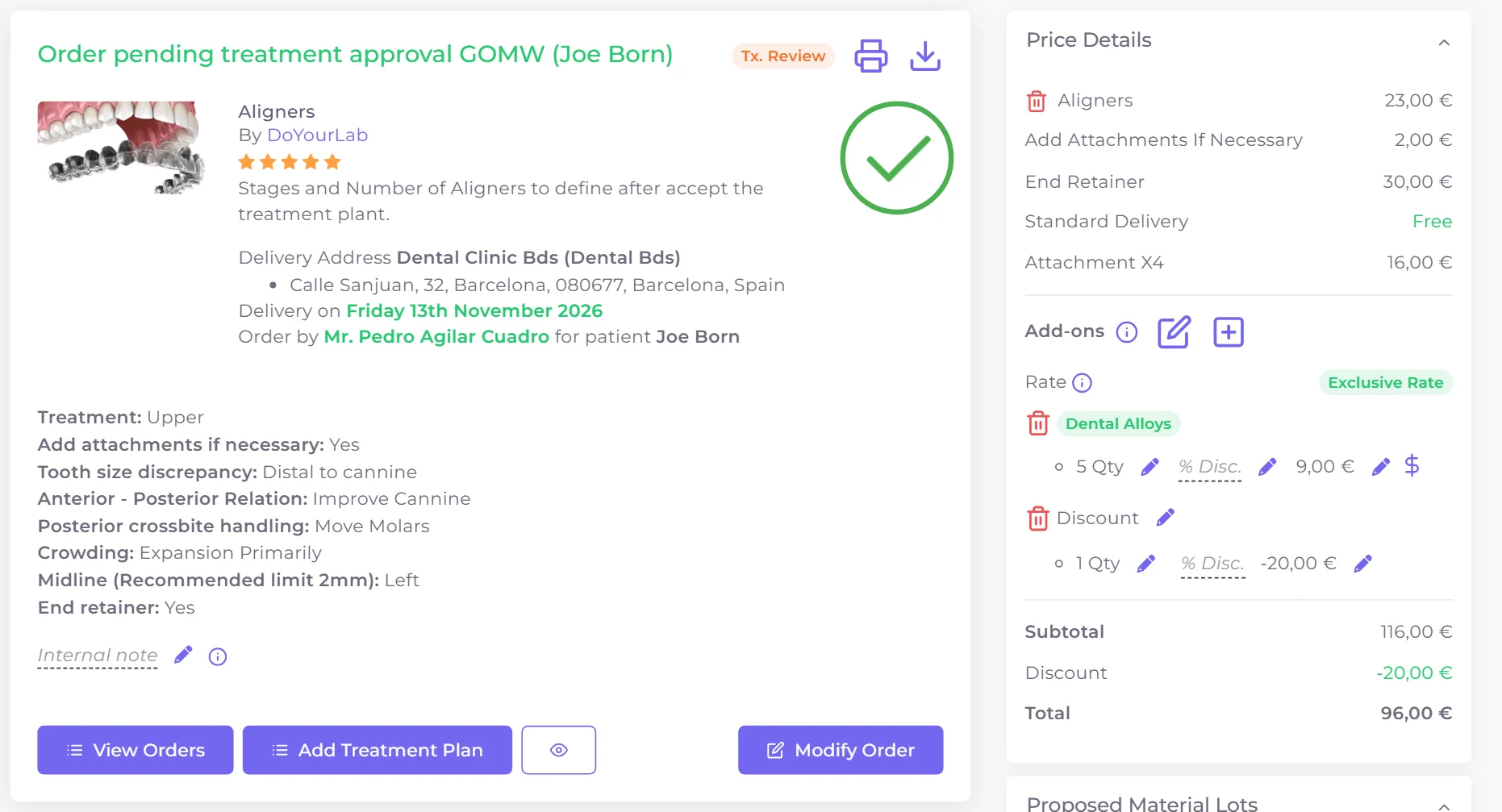
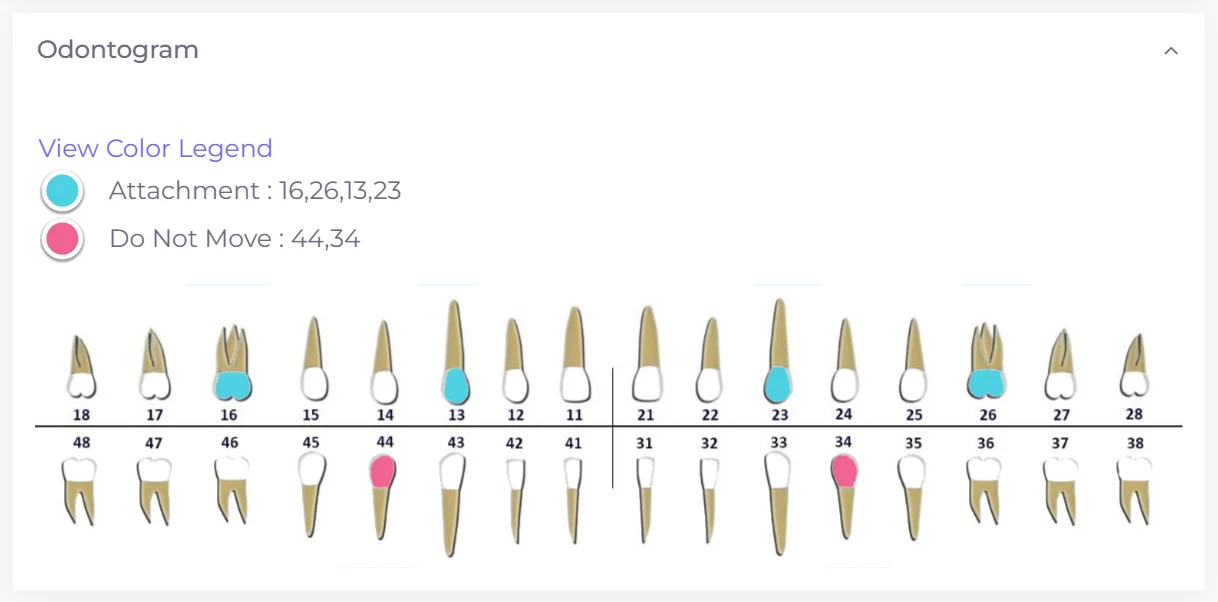
In DoYourLab each product has its own form, so the questions for a splint differ from the questions for an aligner case. Files, messages and status stay on the same case. You can try it in the demo, signing in as a clinic to place an order and then as the lab to see how it arrives. For a step-by-step approach to moving your whole workflow, see how to digitize a dental lab.
Frequently asked questions
Which tooth numbering should I use?
Use one system on the whole form and state it. The FDI system (two digits, from 11 to 48) is the most widely used internationally. The Universal system (1 to 32) is common in the United States. Mixing them is the usual cause of wrong-tooth errors.
Do I have to send the patient name to the lab?
Send the lab the data it needs to do the work. Data minimisation is a principle of the GDPR (Article 5(1)(c)), and many clinics use an internal case reference. Ask your data protection adviser what applies in your country.
Can the form include a consent or conformity document?
In DoYourLab you can customize the conformity document per product and a consent file with electronic signature, and generate the conformity documentation and traceability per case.
How do I mark an urgent case?
Put the requested delivery date and the urgency on the order. DoYourLab lets the request calendar distinguish standard and urgent delivery, each with its own customizable price.
Try DoYourLab free for one month
Create your platform in minutes: catalog, case tracking, rates, invoicing and treatment plans. No credit card required. See plans